Sentry MCP MCP server
Lets an AI coding agent pull issues, errors and performance data from your Sentry account so it can debug and fix production problems from the editor.
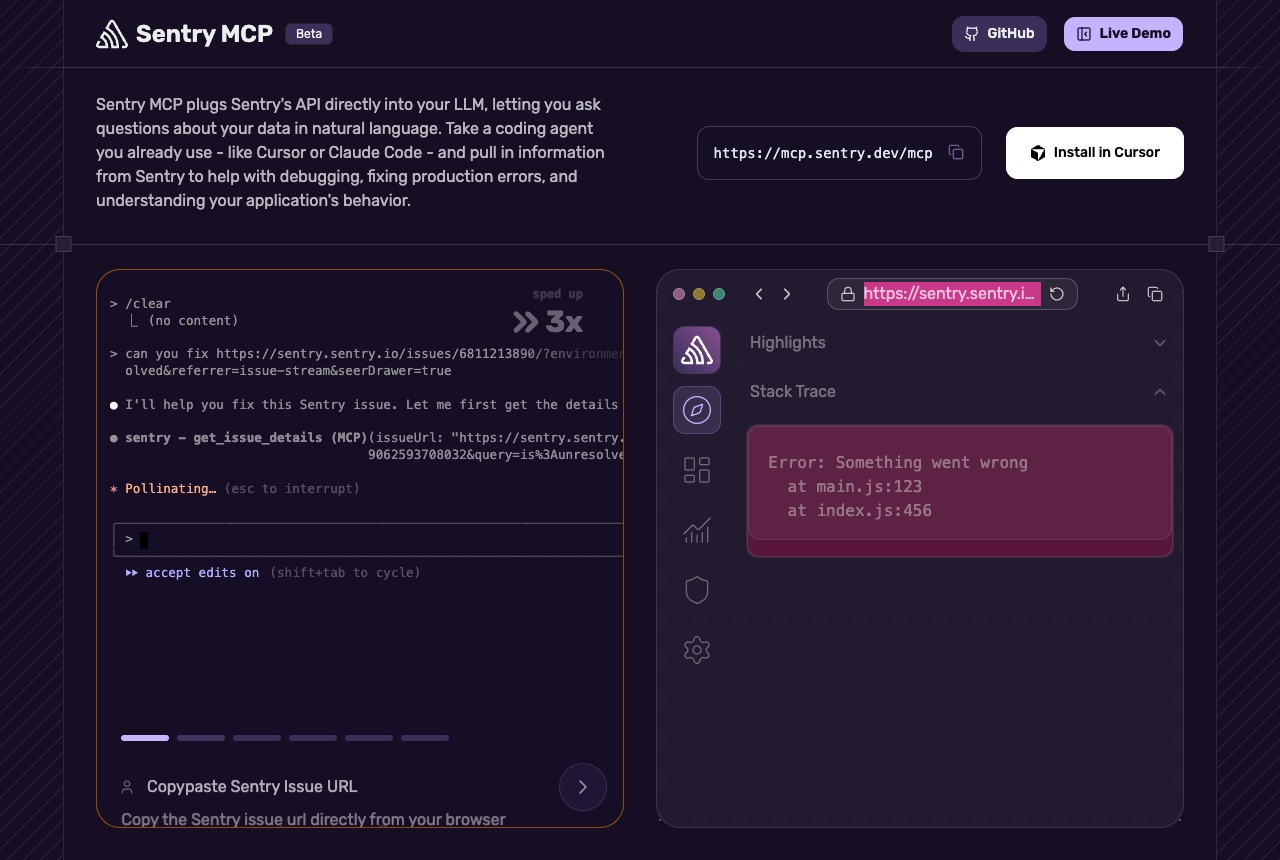
Sentry MCP connects an AI coding agent to Sentry's API so you can ask about your error and performance data in plain language. Sentry describes it as a way for agents such as Cursor or Claude Code to search errors, analyze performance, triage issues, read documentation and manage projects. The flow shown on its page: paste a Sentry issue URL, and the agent fetches the issue details and stack trace before working on a fix. The hosted server is https://mcp.sentry.dev/mcp and signs you in with OAuth on first use. For Claude Code the page gives: claude mcp add --transport http sentry https://mcp.sentry.dev/mcp/{organizationSlug}/{projectSlug}, where the two slugs are optional and scope it to an organization or a single project. It also documents Cursor and VS Code and says any client that speaks MCP over HTTP can connect. For self-hosted Sentry, the repository documents a local version: npx @sentry/mcp-server@latest --access-token=<token>. We would add it once an app has real users and a Sentry project: the agent can go straight from an issue to the code that threw it, instead of you copying stack traces across by hand. The page marks it Beta. If you run the local version, the README notes that the AI-powered search tools such as search_events and search_issues need an LLM provider (OpenAI, Azure OpenAI, Anthropic or OpenRouter), and that the access token needs org, project, team and event scopes, some of them write scopes, so keep that token private.
Logs that used it
Nothing written with this yet. An entry lands here the moment somebody names this tool in one — attach it from the composer’s + menu.
Reviews 1
5.0 from 1 builder
Sign in to rate Sentry MCPThat is every review of Sentry MCP.